Why is My Game Lagging? A Guide to Ping, Latency, and Packet Loss
What exactly causes this periodic lack of responsiveness in a game? Is there any way to reduce it?
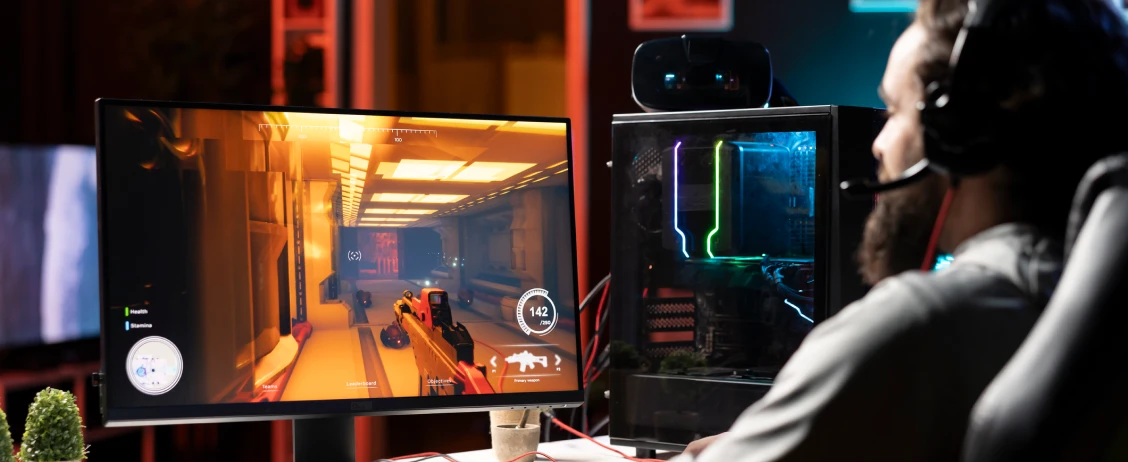
You’re in the thick of it. Sprinting towards victory. Suddenly, several guys are firing. There’s an explosion. Then it stutters. It’s annoying the first time. But suddenly it happens again. Time to crank up your FPS. But it still drops out.
That’s when you decide it’s upgrade time. You buy a faster RAM, faster GPU. It’s still happening. And it happens in every game, no matter what resolution or level of settings you use. You’re at your wits' end.
What exactly causes this periodic lack of responsiveness in a game? Is there any way to reduce it?
Let's get to the bottom of the annoying phenomenon of game lag.
Game lag comes down to three things:
Responsiveness (latency/ping) – how fast your data travels to a server and back
Stability (jitter) – how consistent that timing is
Packet loss – when some data fails to reach the server
If your connection isn’t consistently responsive, try fixing in this order:
Ethernet → server region → SQM for bufferbloat → background uploads → NAT needs
Understanding Latency, Ping and Packet Loss
Every time you hit a button, that input has to travel through wires, across the wide, wide web, all the way to the server hosting the game, and then back to your PC. It's fast, but it's not instant.
What is latency?
Latency is just how long that round trip takes, measured in milliseconds. It’s when your request goes out, grabs the data and comes back.
What is ping?
Ping is the test that measures how long it takes for your request to reach the server. That's it. Just one way.
It’s usually used erroneously as an interchangeable term for latency. When people say "my ping is 50ms," what they really mean is their latency is 50ms.
What is jitter?
Jitter is when your ping jumps all over the place. It’s the variation in your latency over time.
It makes your gaming experience feel unpredictable because you’ll always be left wondering if your inputs register instantly or with a massive delay.
What is packet loss?
Packet loss is when chunks of that data just don't make it to the other side. It happens when data gets dropped and needs to be resent.
That's where things get really, hair-pullingly, frustrating.
In a multiplayer game, that enemy is a real person on a completely different computer. And maybe they’re across the world. When you shoot, that information has to race to the server first. And if your latency is higher than your opponent's? They win the fight even if you mashed your buttons first. Your opponent’s data just got there before yours did.
That’s really gotta hurt.
There’s another layer to this. Most online multiplayer games use the User Datagram Protocol (UDP) rather than the Transmission Control Protocol (TCP). It doesn't automatically resend lost data packets the way TCP does.
To translate, if information gets lost on the way to the server, it won’t try to fix itself. Instead, it shows up as weird in-game behaviour. This is when you see teleporting players, missed shots you should’ve hit or sudden “rubber banding”.
What’s good latency/ping for gaming?
If you’re talking first-person shooters and battle royales, you’ll want to aim for a ping of under 30ms. Reactions are fast, gameplay is smooth, and rage quits are few and far between.
Multiplayer games that are less dependent on reaction times, like RPGs, strategy games or casual multiplayer games (Minecraft, World of Warcraft or The Sims), will be playable on a ping of 50-100ms.
When it hits 150ms, any kind of game will be painful to play.
You can win matches sitting on a steady 25-35ms, but you'll definitely lose on a connection that jumps from 20ms to 120ms the moment someone in the house starts anything that consumes bandwidth, whether it’s uploading pics, video chatting or streaming.
It’s called latency under load, often referred to as bufferbloat. It happens when your router or connection gets congested and starts queuing traffic. And because games send teeny, tiny, time-sensitive packets, short delays can show up as instability.
Comparison between different ping levels
Gaming needs a stable, predictable ping. Consistency wins fights. Spike-free connections mean your timing is ever-reliable, and that’s where network quality and traffic matter just as much as raw speed.
Let’s compare different ping levels and what this means for you:
Ping (ms) | Performance | What It Means | Ideal for games like… |
0–30ms | Excellent | Ultra-smooth response. Actions happen almost instantly. | Competitive shooters like Call of Duty, Valorant, Counter-Strike 2, and fast fighters like Street Fighter 6. |
30–50ms | Very Good | Very small delay. Most players won’t notice issues. | Battle royales like Fortnite, MOBAs like League of Legends, sports titles like EA Sports FC 24. |
50–100ms | Playable | Slight lag. Fine for casual play but not ideal for ranked matches. | Casual matches in Apex Legends, racing like Forza Horizon 5, co-op games like Destiny 2. |
100–200ms | Noticeable | Delay becomes obvious. Timing-based games feel harder. | Slower strategy games like 'Civilization VI' or turn-based games where reaction time matters less. |
200+ ms | Unplayable | Major lag and stuttering. Frustration central. | Most real-time online games will struggle. Is it even worth it? |
What are some common gaming connection issues?
If your character is teleporting backwards or you're getting booted to the menu every 10 minutes, here's what you're probably dealing with:
This is when your character runs forward, then suddenly snaps back to where you were a second ago, like an invisible rubber band is yanking you. It's not just regular lag; it's a specific thing where your game and the server are completely out of sync.
Everything seems fine, then you suddenly lose connection. Could be your router freaking out, could be your firewall blocking the game, or it could be the server itself having a bad one.
You hit the trigger, nothing happens, then your gun fires a half-second late. By then, you're already dead. This one's brutal because it makes you feel like you're bad at the game when it's just your setup gaslighting you.
This is when everything feels sluggish. You peek a corner, the enemy somehow shot you before you even saw them on your screen. It’s probably the most common issue out there.
How can I troubleshoot my gaming connection?
You’re shaking your PC and have finally Googled “how to improve network latency” for the last time.
Here's what you can actually do about lowering your ping and making your games run smoother:
Use a wired connection
This is the big one. If you're on Wi-Fi right now, that's probably your problem. Walls, microwaves, and your neighbour's router can all mess with your signal.
An Ethernet cable just goes straight from your PC to your router. Plug it in, and you'll almost certainly notice a difference immediately.
If you need wider coverage, look into a mesh system with wired backhaul. This keeps your signal strong without stacking latency on top of latency.
Pick the closest server
Before blaming your internet plan, check your server.
The ACCC’s Measuring Broadband Australia report (April 2023) found that latency to Australian-based gaming servers typically averages 15–30ms, with gamers in NSW and ACT often seeing 10–20ms because most servers are located in Sydney.
The further you are from the server, the higher the latency climbs. In WA, for example, the average latency to Aussie servers can exceed 50ms just because of the distance. And when a game connects you to a server in Asia or North America, it can jump up to a whopping 100ms, regardless of the speediness of your plan.
A lot of games let you manually choose your server region. If your game is throwing you onto a server halfway across the world, you're adding latency before the match even starts.
Dig deep into the settings, find the server selector and pick whatever has the lowest ping number next to it.
Kill your background apps
Steam, Epic and Windows Updates will absolutely chew through your bandwidth without telling you. Check what's running in the background before you load into a game.
Restart your modem/router
Turn it off. Unplug it for 30 seconds. Plug it back in. Sounds almost too easy, genuinely works a surprising amount of the time.
Turn off your VPN
VPNs reroute your data through extra locations, which adds distance, which adds ping. Turn it off while gaming. Some gaming-specific VPNs claim to actually reduce lag. And some of those are worth looking into if you still need one running for security reasons.
Check for “Latency under Load” (Bufferbloat)
If ping is fine when nothing is happening, but spikes when someone else in the household uploads or streams, that’s latency under load. The fix is usually on your router:
Enable SQM (Smart Queue Management) if your router supports it.
Look for settings like CAKE or fq_codel. Consider cake-autorate algorithm to adapt to the current network conditions to minimise latency.
If you want to check whether this is happening to your connection, you can run a bufferbloat test using tools like Waveform. It simulates a busy network and gives your connection a ‘grade’ that shows how much your ping increases when the connection is under load.
What about console-specific considerations to troubleshoot my connection?
It’s a double whammy. You need both low latency and connection stability, two things that Ethernet handles way better than Wi-Fi.
When to Level Up Your Plan
If you've done everything right and you're still lagging, it's probably your internet plan.
What is FTTP? and should I upgrade to FTTP?
FTTP (Fibre to the Premises) is the fastest and most reliable type of NBN connection. Fibre runs directly to your home, offering better speeds and lower latency.
Absolutely. Even if the monthly plan is a little higher than what you’re paying now, the increase in speed, reliability, and future-readiness makes FTTP a no-brainer, especially when nbn fibre upgrade is free*.
*Free for standard fibre upgrades only. See T&Cs for more information.
Read Also: Why should you upgrade to FTTP
To upgrade, check your address on our fibre upgrade page to see if you’re eligible for an FTTP upgrade.
Why Exetel's The One is basically built to combat lagging games?
We’re going to let you in on some information. Not all nbn 500 plans are created equally. Two gamers can be on the exact same speed tier and get completely different results.
We run our own fibre network across Australia: That means your data isn't bouncing through a dozen different providers before it hits the game server. Providers will often lease wholesale NBN access and cram as many customers as possible onto the limited capacity. This is why you’d experience ping spikes at 8pm when it was all smooth sailing at 2pm. We manage our own infrastructure, so we control how your traffic gets routed and how congestion is managed.
We’re ranked #1 in Australia for latency: According to the ACCC Broadband Performance Data Report (December 2025), Exetel recorded an average latency of 6.9ms across all hours and 7ms during busy hours (7pm–11pm). Pretty impressive, we think. ACCC data shows they average around 8.3ms ping during peak hours. Pretty impressive, we think.
You stay connected even during peak hours: You get a solid connection even when everyone on your street is streaming the newest steamy Bridgerton scenes after dinner. This matters for competitive games where 10–15ms can be the difference between getting the kill or getting killed.
The One Plan delivers 500Mbps** for $80/month — already faster than what most people need. A speed that comfortably matches what modern households actually use today, and cheaper than the Australian average of $85/month. Don’t say we don’t spoil you.
**Typical evening speed 500/45 Mbps.
For competitive gamers, network quality and routing matter more than raw speed. It’s this consistency that keeps you in the match.
How to use Warp Speed for that massive game download
Increase the speed to 1000 Mbps* for $1/day — Modern Warfare updates are like 150GB. Flight Simulator is over 200GB. Hit the Warp Speed button in the Exetel app and download it in the same night instead of waiting the next day. *Typical Evening Speed: 860/85 Mbps.
Only pay for speed when you need it — you're not stuck paying for Ultrafast speeds 24/7 when you only need them a few times a month.
Reduce your lag… once and for all
Speed feels like only half the battle. Consistency is what actually wins games.
This is when your connection type matters. FTTP is far more predictable and stable than old copper-based tech. Less interference. Fewer random slowdowns. More reliable performance when the whole household is online. And in gaming (and honestly, in life), stability comes out on top over flashy speeds.
Then there’s provider performance. The ACCC’s Broadband Performance Data Report (December 2025), has shown Exetel sitting in the top three for consistency across nine consecutive quarters (December 2023-December 2025). Yes, we’re regularly punching above our weight against bigger players.
If you've tried everything in this guide and you're still getting wrecked by lag, it might be time to upgrade your plan or make a switch.
No matter how good you are, you’ll never be able to outplay a bad connection.
Frequently asked questions
How do I check the speed of my internet?
You can check your internet speed by:
Visiting a speed test website (like Speedtest.net or Exetel's speed test page)
Closing other apps and devices using the internet
Running the test on a wired connection for the most accurate result
Look at three numbers:
Download speed (how fast you receive data)
Upload speed (how fast you send data)
Ping/latency (how responsive your connection is)
Do I need super fast speeds for gaming?
Not necessarily. The speed you need depends on the type of game you’re playing and what else is happening in your home. Most online games don’t use much download speed, usually less than 10 Mbps while playing.
What matters more is low latency (ping) and a stable connection.
However, faster plans help if:
Multiple people are streaming or gaming at the same time
You download large games (100GB+)
You want smoother performance during peak times
Does higher NBN speed lower ping?
Not always. Upgrading from 100 Mbps to 1000 Mbps won’t automatically reduce ping.
Ping is more about the path that your data takes and connection stability, not raw speed. It depends on:
Your provider’s network quality
Congestion during peak times
Whether you’re on Wi-Fi or Ethernet
Your NBN connection type (FTTP generally performs best)
The ACCC Broadband Performance Data Report (December 2025) shows that Exetel leads in latency, stability and packet delivery, making Exetel The One a top pick for gamers who need a high-performance connection.
Which NBN type is best for gaming?
FTTP (Fibre to the Premises) is usually the best option. It offers:
Lower latency
More consistent speeds
Better reliability
FTTC can also perform well, but older copper-based connections may experience more fluctuation.
Related Articles


© Copyright 2026 Exetel Pty Ltd. All rights reserved.