How to reduce your ping in Australia: The ultimate guide for gamers
This guide breaks down exactly what's causing your high ping, what you can actually do about it, and which fixes are worth your time.

You're holding the angle in VALORANT. The crosshair? Perfect. You’re just waiting for the peek. They swing, you click, you're dead. On their screen, they saw you first. No need to doubt your skills (yet).
Or maybe you're in Fortnite, shotgun lined up and you fire. A full second later the damage registers and they've already built three walls.
That's high ping for you.
This guide breaks down exactly what's causing your high ping, what you can actually do about it, and which fixes are worth your time.
Ok, time to get your game face on.
High ping = bad. Low ping = good. Check packet loss + jitter, not just average ping.
To fix it: use Ethernet not Wi-Fi, pick the closest game server, enable QoS on your router, close background apps, and restart your router regularly.
Stop ping spikes (latency under load) by enabling SQM on your router.
If you're still lagging after all that, it's probably your provider.
Check if FTTP is available in your area. Fibre has a much lower latency than anything else.
Exetel's The One Plan sits at 6.9ms at all hours and 7ms during busy hours because we own our network (is that a humble brag?), so your data isn't bouncing around a crowded network.
What is ping?
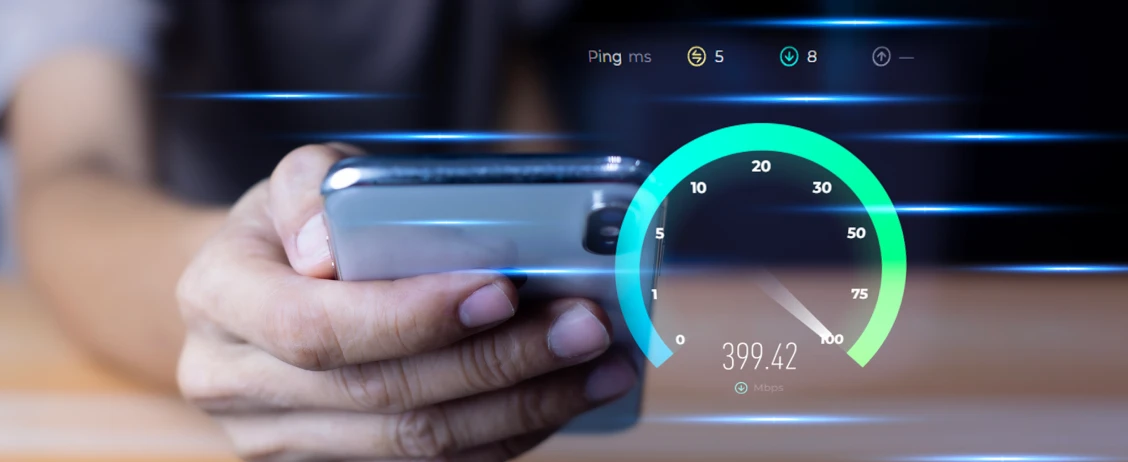
Ping is how long it takes your computer to have a conversation with a game’s server. You press a button, that signal gets sent, the server processes it, then sends back a response.
All of that happens in milliseconds, and that time is your ping. Lower ping means less delay between what you do and what actually happens in the game.
Round-trip time (RTT) is the full journey, from your computer to the server and back again. In most games, ping and RTT are used interchangeably, but technically, ping is the measurement tool and RTT is the actual time it takes for the trip there and back.
What causes high ping?
Distance to servers
The further you are from the server, the higher your ping. Data has to physically travel through cables and network infrastructure to get there.
Someone in Sydney connecting to a server in Sydney will have way lower ping than someone in Sydney connecting to a server in Los Angeles. That's why server selection matters so much.
Hardware and network delays
Your router, your modem, your network’s infrastructure, whether you're on Wi-Fi or Ethernet — all of this adds little delays. And these delays can stack up fast.
Network congestion or an overloaded router can also spike your ping during gaming. This is why sometimes your ping is fine, then suddenly jumps to 200ms when your housemate starts streaming Dark on Netflix.
What’s jitter and packet loss?
Ping is only one part of the connection quality puzzle. You also need to understand jitter (how much your ping fluctuates) and packet loss (when data never arrives). A stable 60ms ping often feels better than ping that jumps between 30ms and 90ms.
What is good ping speed?
15-45ms is ideal. You're in the sweet spot. 45-100ms is playable, you'll notice some delay but it's not game-breaking.
Anything over 100ms and you're gonna have a bad time, especially in fast-paced shooters. Some games will straight up kick you if your ping is too high because you're too laggy for everyone else.
How to reduce your ping in Ggames ?
Alright so you've figured out your ping is high, now what? Here's the actual stuff that'll make a difference.
Ethernet vs. Wi-Fi
Wi-Fi signals have to pass through walls, dodge microwaves, compete with your neighbour's router, and deal with literally any other device in your house. All of that creates interference and packet loss.
An Ethernet cable is a direct line from your PC to the router. You should be able to see the difference immediately. Anything rated Cat 5e or higher will handle high-speed internet just fine.
If you can’t run a cable, there are ways to optimise your Wi-Fi:
Use the 5GHz network whenever possible – It’s faster and less crowded than 2.4GHz.
Put the router in a central, open spot – Avoid cupboards or corners that block the signal.
Use a mesh Wi-Fi system with a wired backhaul if you need wider coverage. This avoids the extra hops and latency that cheap extenders introduce.
Server selection
Distance matters. The further you are from the game server, the longer it takes for data to travel there and back.
Most games let you manually pick your server region in the settings. If you're in Melbourne and the game's throwing you on a server in Singapore or LA, you're adding like 100ms of ping before the match even starts. Dig into your game settings, find the server selector, and pick whatever's closest to you.
Some games even show you the ping for each server, so all you’ll need to do is pick the lowest number.
QoS configuration
QoS stands for Quality of Service, and it's basically a way to tell your router "hey, prioritise gaming traffic over everything else."
Most modern routers have QoS settings buried somewhere in the admin panel:
Access this by typing 192.168.1.1 or 192.168.0.1 into your browser.
Look for QoS settings and set gaming as your highest priority.
Some routers even have a "Gaming Mode" option that does this automatically.
For even better results, enable Smart Queue Management (SMQ) if your router supports it. It helps reduce bufferbloat, keeps latency predictable and prevents your game packets from getting stuck behind a large upload or download.
Optimising router settings
Your router has a bunch of settings that most people never touch, and honestly, you probably should:
Restart your router – Unplug it for 30 seconds then plug it back in. This clears out temporary files and can fix a surprising amount of issues.
Check for firmware updates – Router manufacturers release updates to fix bugs and improve performance, but they don't auto-update like your phone does.
Log into your router's admin panel and check if there's a newer version available.
Make sure your router is in the right spot too — ideally somewhere central in your house, not hidden in a closet or behind a TV. The more obstacles between your router and your PC, the weaker the signal.
And if your router is more than a few years old? Consider upgrading. Wi-Fi 6 and Wi-Fi 7 routers handle way more devices at once and have better data transfer speeds. If you're still on Wi-Fi 5 or older, you're leaving performance on the table.
How to troubleshoot your gaming connection
Here's how to actually figure out what's going wrong.
Run a speed test
We’ve made it super easy to run a speed test. It will show you your download speed, upload speed, latency, and which server you're connecting to.
Check your ping in command prompt
Open Command Prompt (hit the Windows key, type "cmd", hit enter). Then type ping followed by your game server's IP address and hit Enter.
This will show you exactly what your ping is to that specific server. If it's high, you know the issue is between you and the server. If it's normal, the problem is probably somewhere else in your setup.
If your ping looks all good, check the following:
Look for packet loss in the game’s network stats. Some games will show it in the settings or in the debug screen.
Try a wired connection to see if it’s your Wi-Fi that’s causing all the issues.
Try a different Wi-Fi channel or move your router to a more open locale.
Remove other devices from your network and kill background uploads
Temporarily kick everything else off your Wi-Fi. Turn off smart TVs, tablets, phones, whatever. If your ping suddenly gets better, you know it’s a bandwidth problem.
Don’t forget all your uploads, too. Updates, iCloud photo backups, Steam transfers, Discord streaming, even smart home devices like security cameras can suddenly spike and affect gaming. Uploads will often hit harder than downloads.
The fix? Either upgrade your internet plan or invest in a Wi-Fi 6 router that can handle more devices at once.
Close background apps
Sneaky apps will download updates in the background without telling you. Open Task Manager (Ctrl + Shift + Esc) and check what's using your network.
Kill anything you don't need.
Check if your internet provider is throttling you
If you suspect your provider is slowing you down during peak hours (because you game a lot and they don't like that), try using a VPN.
Yeah, VPNs usually increase ping because they add extra distance, but if your provider is throttling you, the VPN will hide your traffic and you might actually get better performance.
Try a different time of day
If your ping is fine at 2am but terrible at 8pm, that's network congestion. Either your local network is overloaded or your internet provider’s infrastructure is struggling during peak hours.
Not much you can do about this one, except switch to a different plan or tech.
When to level up your plan & tech
If ping is still too high for your gaming sesh, it’s time to face the music. Time to level up your plan….
If it is and you're not on it, that's your answer right there.
Fibre is hands down the best connection type for gaming because it's fast, stable, and has way lower latency than anything else.
Why Exetel's The One Plan actually makes sense for gamers
We’re not like your other service providers. There's actual reasons this one works:
We own our fibre network — your data goes straight to the game server instead of bouncing through multiple providers like a pinball machine.
6.9ms average ping during peak hours — that's ranked as one of the best in Australia according to a December 2025 ACCC report for Broadband Performance Data. In fact, we’ve delivered top three performance across nine consecutive reporting cycles (December 2023-December 2025), which is pretty wild when you think about it.
Consistency (finally!!) — You still get 500 Mbps (TES: 500/45 Mbps) during peak hours when everyone else is streaming. Your ping stays consistent.
CG-NAT opt-out — if you host servers or need port forwarding, you can actually disable it.
The One plan is 500 Mbps* for $80/month (cheaper than the Aussie average of $85). *Typical evening speed 500/45 Mbps.
Plus, we’ve got Warp Speed which is actually kind of genius…
Need to download a massive 150GB Call of Duty update? Hit the Warp Speed button in the app, increase to 1000 Mbps* for $1/day, download it in less time instead of waiting overnight. Pretty good right? *Typical Evening Speed: 860/85 Mbps.
You're only paying for ultra-fast speeds when you actually need them, not 24/7.
Enough is enough with the AFK
Look, high ping sucks. There's no way around it. It makes you feel like you're bad at games when really it's just your connection letting you down.
Every millisecond you can shave off matters, especially in competitive games where the difference between 20ms and 50ms is the difference between winning the fight and witnessing your own, dramatic, downfall.
Stop blaming yourself for missed shots when it might just be your internet. Fix your setup, and then you'll actually know if it's your skills or not.
FAQs
Q: Will a VPN lower my ping?
VPNs can add extra distance which increases ping. The only exception is if your internet provider is throttling your connection during gaming. Then a gaming VPN might actually help.
Q: My ping is fine most of the time but spikes randomly. What's causing that?
Either someone else on your network is using bandwidth (streaming, downloading), or your network is congested. Check what's running on your network first.
Q: Does server location really matter that much when it comes to ping and gaming?
Absolutely. Playing on a Sydney server from Sydney might give you 20ms. Playing on a Singapore server from Sydney might give you 80-100ms. Always pick the closest one.
Q: Will upgrading to a faster internet plan reduce my ping?
Not necessarily. Faster speeds help with downloads, but ping is about latency, not bandwidth. What matters more is the connection type (fibre is best!!!) and your provider’s network quality.
Related Articles


© Copyright 2026 Exetel Pty Ltd. All rights reserved.